


help - pics SSM civic


Thread Starter
Registered!!
Joined: May 2006
Posts: 148
Likes: 0
Rep Power: 0 
help - pics SSM civic
i need a hand from you guys! i bought a tripod, hoping to make the pics clearer, but its not just helping. all the pics turn out fuzzy and grainy then i edit them (on my mac using iPhoto) and it helps a bit, but its still not great. then i look at pics you guys took and they look amazing...
my camera isnt a piece either. i have a Canon SD630. 6mp, and im trying toooonnnnsss of settings
what can i do?
heres what i mean
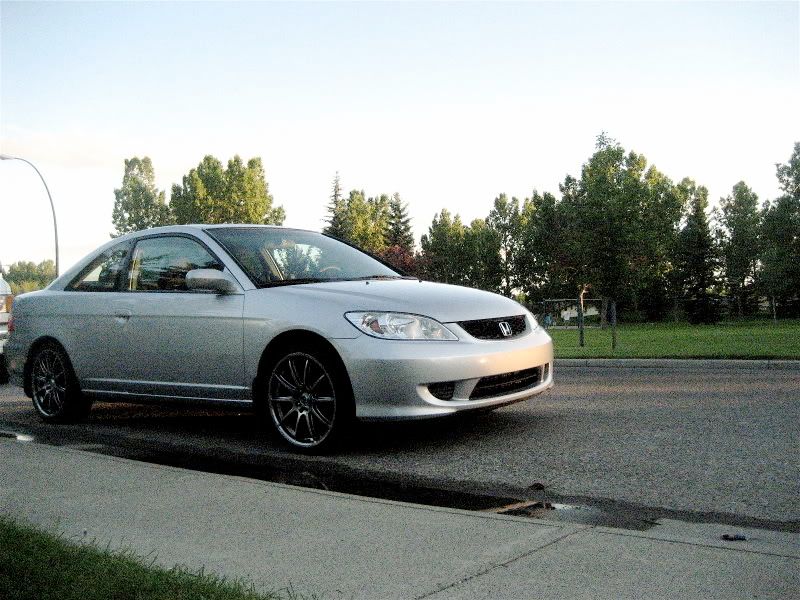
but then i took these pics a while ago with just auto bleh settings and they turned out amazing....
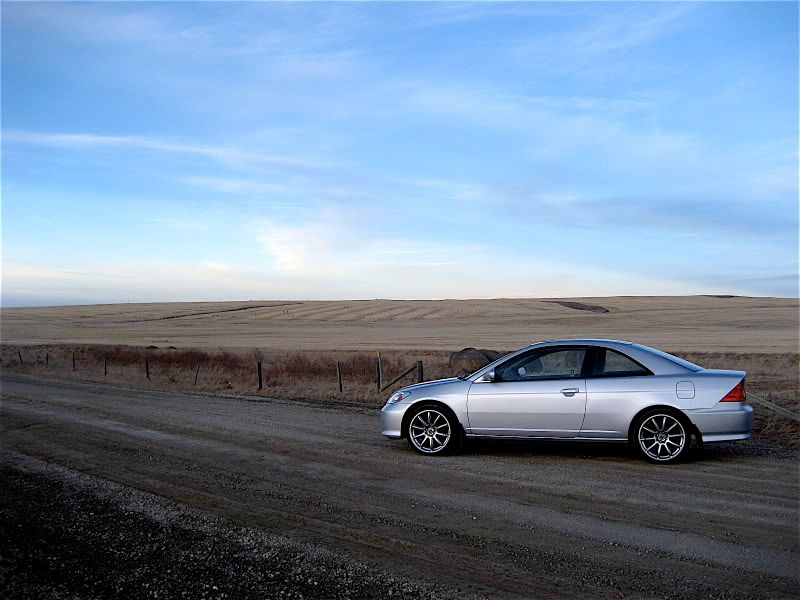
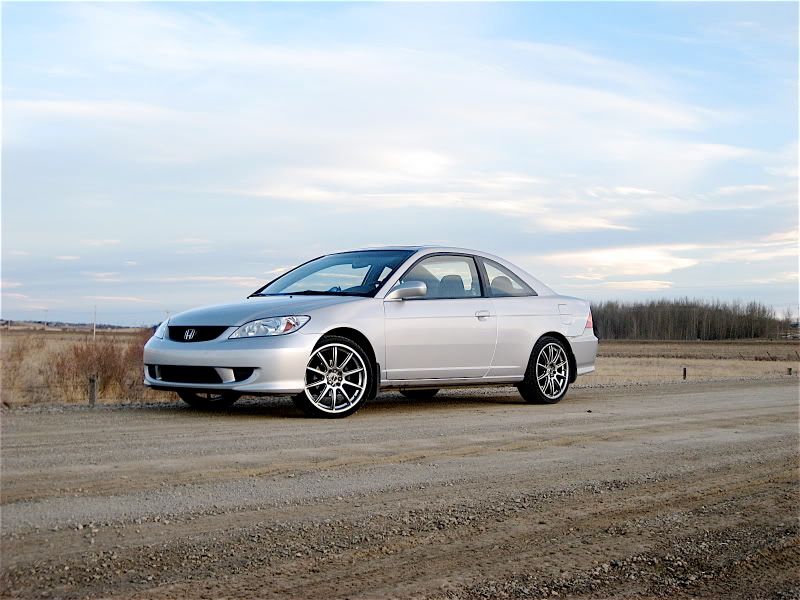
please help, this is SO frustrating, haha
my camera isnt a piece either. i have a Canon SD630. 6mp, and im trying toooonnnnsss of settings
what can i do?
heres what i mean
but then i took these pics a while ago with just auto bleh settings and they turned out amazing....
please help, this is SO frustrating, haha
Last edited by 12345678910; Jul 6, 2007 at 01:16 AM.


I wil fix vBPlaza today
iTrader: (2)
Joined: Apr 2004
Posts: 3,473
Likes: 1
From: Nashville, Tennessee
Rep Power: 306 

Re: help - pics SSM civic
but set up your tripod at a level place where u wont have to use zoom. Turn your iso up a tad, then pic no flash. After all that make sure the resolution is at "quality" and adjust the lighting option based on the conditions. also u might wanna then turn your exposure time up by like 2 seconds or so. Then click the button, and post what that takes. I can try to help you from there. Also if u dont have some of those options, just tell meh 


Registered!!
iTrader: (4)
Joined: May 2002
Posts: 436
Likes: 0
From: San Diego, California, US
Rep Power: 298 Re: help - pics SSM civic
Check you ISO settings. Typically you use a higher ISO when in dark settings and lower ISO when it's more lit. The cost of using a higher ISO is that the pictures turn out more grainy. From what I read about your camera, it becomes pretty noisy at it's higher setting of ISO 400 and 800. Just do some more experimenting... if it is set to 800 for example, lower it and use a slower shutter speed or open up the aperature more and experiment from there. I don't know if your camera has a full manual option but it should have a aperature priority or shutter priority setting.
Also as another member pointed out... make sure the quality setting is set to Fine. Don't overlook the obvious, maybe in manual you have to readjust the picture quality. That 1st picture does look pretty bad. The others look pretty good though... Good luck.
Also as another member pointed out... make sure the quality setting is set to Fine. Don't overlook the obvious, maybe in manual you have to readjust the picture quality. That 1st picture does look pretty bad. The others look pretty good though... Good luck.

Joined: Sep 2002
Posts: 51,241
Likes: 20
From: NV
Rep Power: 813 Re: help - pics SSM civic
looks good? idk, also the first pic is behind plastic, ofcourse it wont look as clear. the light reflects off it and you cant get a good shot. just like for headlights, i always have to take pic with cover off or its all weird with the cover reflecting most of the light.

Registered!!
iTrader: (5)
Joined: Mar 2007
Posts: 327
Likes: 0
From: Jersey/Krakow,Poland til July
Rep Power: 237 Re: help - pics SSM civic
but set up your tripod at a level place where u wont have to use zoom. Turn your iso up a tad, then pic no flash. After all that make sure the resolution is at "quality" and adjust the lighting option based on the conditions. also u might wanna then turn your exposure time up by like 2 seconds or so. Then click the button, and post what that takes. I can try to help you from there. Also if u dont have some of those options, just tell meh
Thread Starter
Registered!!
Joined: May 2006
Posts: 148
Likes: 0
Rep Power: 0 Re: help - pics SSM civic
my ISO has been set at 800, and the shutter is open for a second (long shutter option), and i take ALL pics at the superfine quality setting.
thanks for the pointers though guys, i REALLY appreciate it. gives me a place to start.
thanks for the pointers though guys, i REALLY appreciate it. gives me a place to start.

Registered!!
Joined: Oct 2006
Posts: 113
Likes: 0
From: MD
Rep Power: 0 Re: help - pics SSM civic
if u wanna know more about the settings, PM me of reply on here. help u out.
I wil fix vBPlaza today
iTrader: (2)
Joined: Apr 2004
Posts: 3,473
Likes: 1
From: Nashville, Tennessee
Rep Power: 306 Re: help - pics SSM civic
alrighty man, found some easy reading for ya
ISO
http://www.digicamhelp.com/camera-fe...ttings/iso.php
SHUTTER SPEED
http://www.digicamhelp.com/camera-fe...tter-speed.php
EXPOSURE
http://www.digicamhelp.com/camera-fe...ettings/ec.php
APERTURE

Adjusting your digital camera's ISO settings will determine how sensitive the camera will be to light. This is very much like using different film speeds in a film camera. The higher the ISO setting, the more sensitive the camera will be to light.

With the camera set at ISO 100, this photo captures the bright white of the sun sinking below the
horizon, but the rest of the sky is gray.

This shot was taken moments later. This time, however, the camera was set to ISO 400.
Rendering the camera more light sensitive resulted
in more vivid and dramatic color.
Aperture values impact depth of field (the camera's ability to deliver sharp focus on objects both close to and further away from the camera). A high aperture value (small lens openings) delivers more depth of field, while a low aperture value (big lens opening) will deliver less depth of field. If you want to isolate your subject from the background (let's say you're shooting a person standing in front of a collection of shrubs), you'll want a low aperture value that will deliver shallow depth of field (the person will be in sharp focus, but the shrubs will be blurred).
If you're shooting a landscape, on the other hand, you'll want a high aperture value (small lens opening). This will deliver more depth of field, keeping objects both in the background and in the foreground in focus.
Since shutter values control how long the lens remains open, they also control how long the camera's image sensor has to capture an image. If you use a slow shutter speed and your subject moves, the resulting picture will likely be blurred.
Situation-related modes are designed to take into account the conditions under which you're shooting. If you're photographing an automobile race or a sporting event, for example, you could set the camera on "sports" mode. The camera would then automatically set its aperture, shutter, and other settings for those conditions-giving a bias to stopping the action to reduce blur. In "night" mode, the camera will choose settings (such as a slower shutter speed) that will compensate for low-light conditions. In this mode, however, moving objects will almost certainly be blurred.
wait isnt there a sticky somewhere on this site about this stuff?? lemme check for ya
Edit: bruhahahah!!
https://www.civicforums.com/forums/3...aphy-tips.html
https://www.civicforums.com/forums/2...hy-thread.html
ISO
http://www.digicamhelp.com/camera-fe...ttings/iso.php
SHUTTER SPEED
http://www.digicamhelp.com/camera-fe...tter-speed.php
EXPOSURE
http://www.digicamhelp.com/camera-fe...ettings/ec.php
APERTURE
Adjusting your digital camera's ISO settings will determine how sensitive the camera will be to light. This is very much like using different film speeds in a film camera. The higher the ISO setting, the more sensitive the camera will be to light.
With the camera set at ISO 100, this photo captures the bright white of the sun sinking below the
horizon, but the rest of the sky is gray.
This shot was taken moments later. This time, however, the camera was set to ISO 400.
Rendering the camera more light sensitive resulted
in more vivid and dramatic color.
Aperture values impact depth of field (the camera's ability to deliver sharp focus on objects both close to and further away from the camera). A high aperture value (small lens openings) delivers more depth of field, while a low aperture value (big lens opening) will deliver less depth of field. If you want to isolate your subject from the background (let's say you're shooting a person standing in front of a collection of shrubs), you'll want a low aperture value that will deliver shallow depth of field (the person will be in sharp focus, but the shrubs will be blurred).
If you're shooting a landscape, on the other hand, you'll want a high aperture value (small lens opening). This will deliver more depth of field, keeping objects both in the background and in the foreground in focus.
Since shutter values control how long the lens remains open, they also control how long the camera's image sensor has to capture an image. If you use a slow shutter speed and your subject moves, the resulting picture will likely be blurred.
Situation-related modes are designed to take into account the conditions under which you're shooting. If you're photographing an automobile race or a sporting event, for example, you could set the camera on "sports" mode. The camera would then automatically set its aperture, shutter, and other settings for those conditions-giving a bias to stopping the action to reduce blur. In "night" mode, the camera will choose settings (such as a slower shutter speed) that will compensate for low-light conditions. In this mode, however, moving objects will almost certainly be blurred.
wait isnt there a sticky somewhere on this site about this stuff?? lemme check for ya
Edit: bruhahahah!!
https://www.civicforums.com/forums/3...aphy-tips.html
https://www.civicforums.com/forums/2...hy-thread.html
Last edited by LT2004ever; Jul 5, 2007 at 08:52 AM.
I wil fix vBPlaza today
iTrader: (2)
Joined: Apr 2004
Posts: 3,473
Likes: 1
From: Nashville, Tennessee
Rep Power: 306 Re: help - pics SSM civic
^^ yea but its still a picture is a picture... the way u alter the settings will determine the shot, whether theres a car in it or not  The pics are pretty much for reference, just like all the links have pics to clarify what he doesn't understand through reading
The pics are pretty much for reference, just like all the links have pics to clarify what he doesn't understand through reading 
Registered!!
Joined: Sep 2006
Posts: 153
Likes: 0
From: Destin, FL
Rep Power: 0 Re: help - pics SSM civic
Hey man, i have the SD630 too and it's one of the few camera's that i don't mind leaving it on auto because it usually does a really good job. Especially in the day light. At night or in darker areas, i'll usually put it to manual and change up the ISO settings and a few things, but one of the biggest things that i noticed that helped is to put on the timer...that way when you push the button you can let go and nothing is moving the camera when it goes off. 
PS. I love that camera...it's awesome!
PS. I love that camera...it's awesome!
Thread Starter
Registered!!
Joined: May 2006
Posts: 148
Likes: 0
Rep Power: 0 Re: help - pics SSM civic
yeah dude, one of the things that i sure liked about it was the 3" LCD on the back. ive had Canon's for years so i stuck with it, but that 3" screen is wicked
thats a good idea to use the timer! i like! even the 2 second timer, because im way too impatient to wait 10 seconds for one picture
thats a good idea to use the timer! i like! even the 2 second timer, because im way too impatient to wait 10 seconds for one picture

7th Gen Photographer
iTrader: (2)
Joined: Mar 2004
Posts: 951
Likes: 0
From: Atlantic City, NJ
Rep Power: 281 Re: help - pics SSM civic
Well - the problem in the first pic was your car was in shadow... Your camera isn't really designed for longer exposures without increasing grain - it ca do it - but it gets grainy. The higher the ISO - the more grain you get. And on smaller point-and-shoots the ISO is really there so you can "get the shot" but it won't be a piece of art.
Shoot in a little brighter sunset-light. If the car is in shadow, relocate. All your following shots seem to be a similar time of day, but the car is exposed to the light. Check out the guide in my Sig for additional info.
Shoot in a little brighter sunset-light. If the car is in shadow, relocate. All your following shots seem to be a similar time of day, but the car is exposed to the light. Check out the guide in my Sig for additional info.


Thread
Thread Starter
Honda Civic Forum
Replies
Last Post
chgofirefighter
Archive - Vehicles for Sale/Wanted
0
Apr 18, 2015 08:08 PM


