


Another HON98-AUX install, 2005 EX Coupe (5-speed)


Thread Starter
Registered!!
Joined: Aug 2009
Posts: 18
Likes: 0
Rep Power: 0 
Another HON98-AUX install, 2005 EX Coupe (5-speed)
Tools needed:
Flat head screwdriver
Phillips screw driver
Your hands, and maybe a band-aid
Components needed:
HON98-AUX
3.5mm Stereo Mini-to-RCA Adapter
Estimated time
30-60 minutes (It took me 30 or so, I didn't watch the clock)
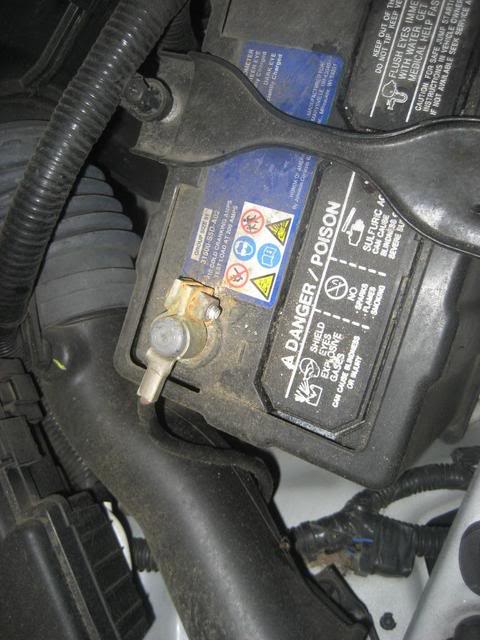
1. Disconnect the Negative battery terminal (BEFORE YOU DO THIS MAKE SURE YOU HAVE YOUR RADIO CODE TO ENABLE IT AFTER THE INSTALL!)
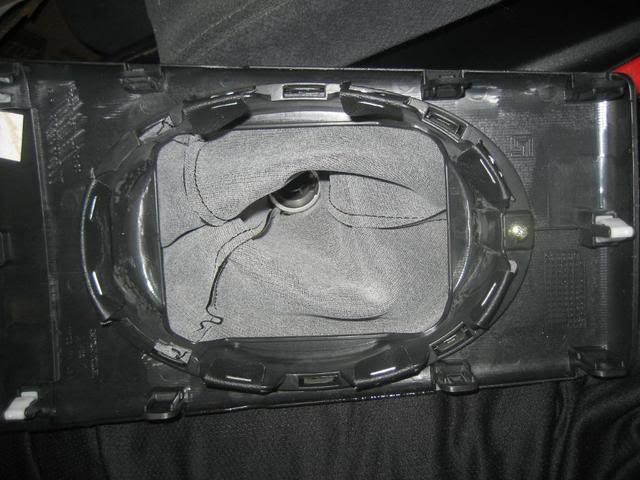
2. Remove the Gear Shift Trimpanel. First push down (towards bottom of car) on the chrome ring underneath the shift ****. Then unscrew the shift ****. Here you can see the little arch you get your fingers underneath the Gear Shift Trimpanel to pry it up. This is on the front of the panel facing the cup holders

3. Here is the bottom of the Gear Shift Trimpanel
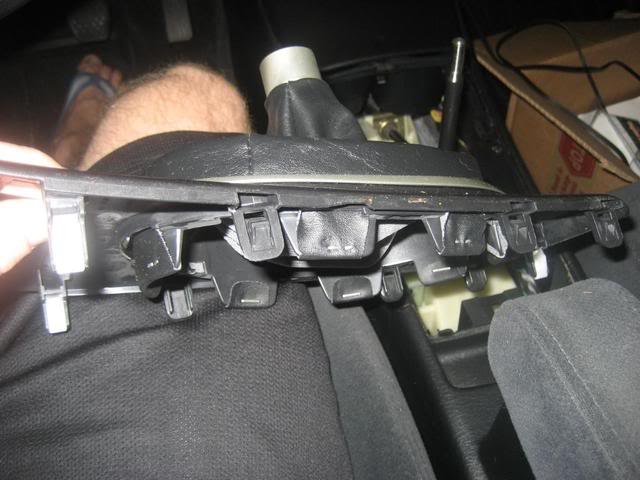
4. Here is the side of the Gear Shift Trimpanel
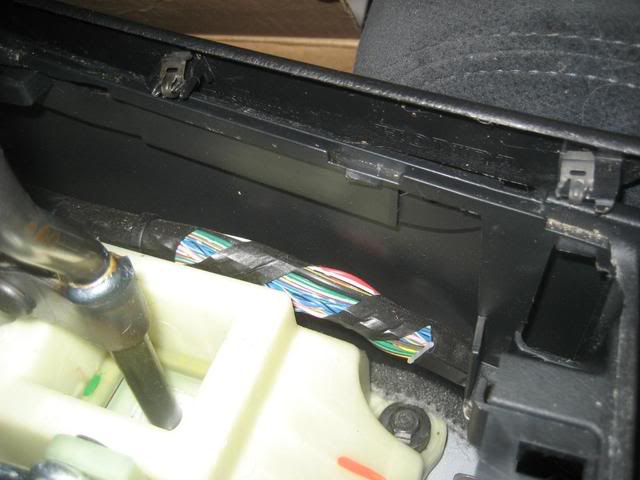
5. Here is what it looks like without the Gear Shift Trimpanel

6. Remove the Console Trim. First remove the two phillips head screws in the front. The can be seen in the picture above.
7. Second push the two back clips on each side. I used a flat head screwdriver and my fingers to do so. There are two on each side
NOTE: I believe I pulled up (towards the roof) and then back (towards the trunk) to remove the Console trim
8. Once removed, here is the back of it. There are two clips on each side. One of my clips fell of, but I found it back and pushed it back onto the panel

9. Here is the box plugged in hanging free. The plug is to the right of the radio when facing the radio
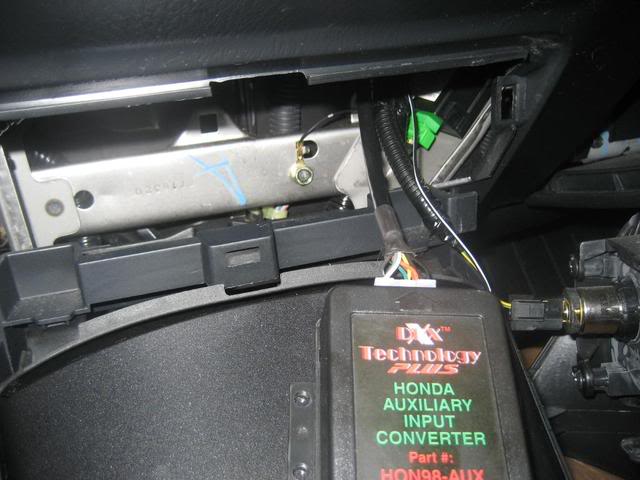
10. I placed the box flat inside the dash. I doubt it wil go bouncing around. The aux plug on the left and the other cable on the right keep it stuck in place
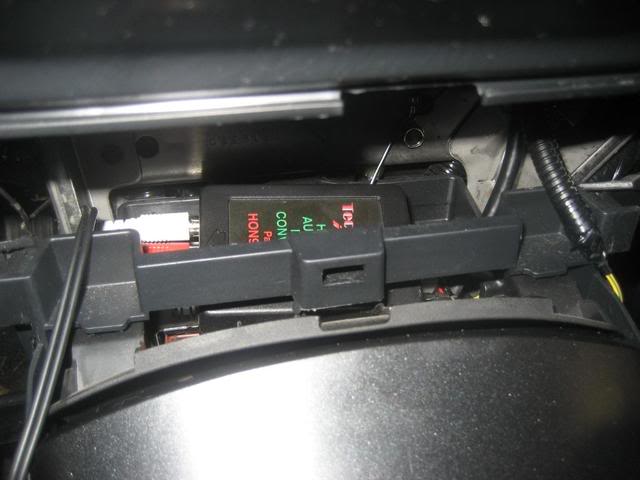
11. If you want to ground the device, there is a screw to the right seen in this picture. I did not ground mine.
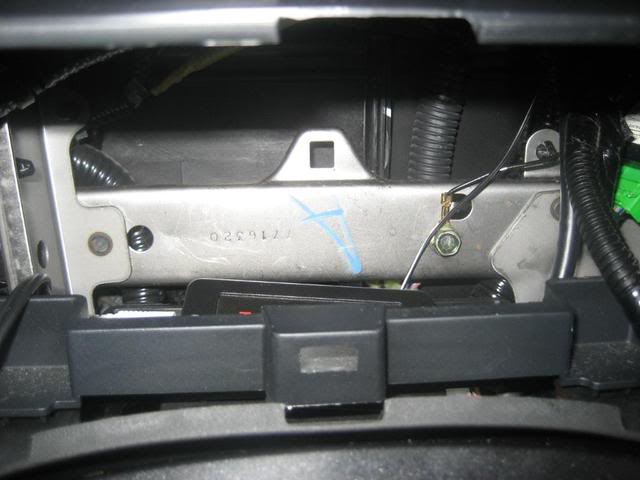
12. I then replaced the Console Trim
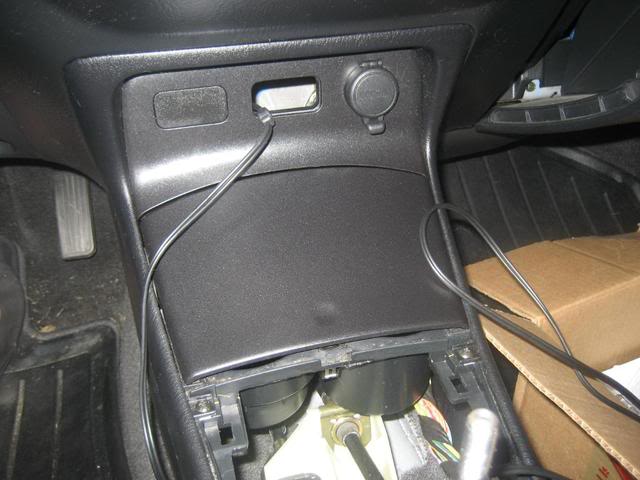
13. All wrapped up and ready to play!
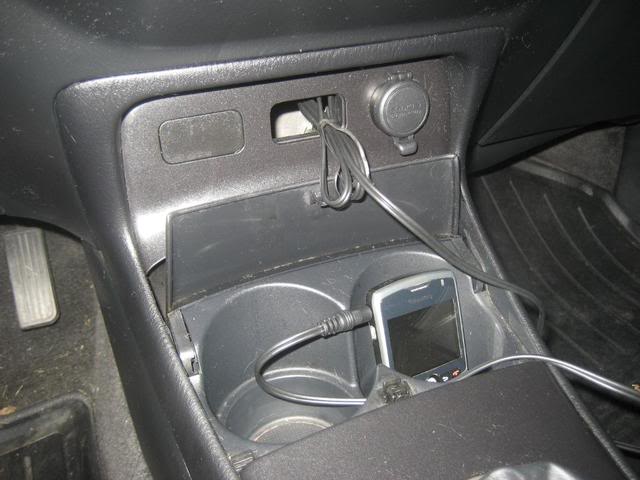
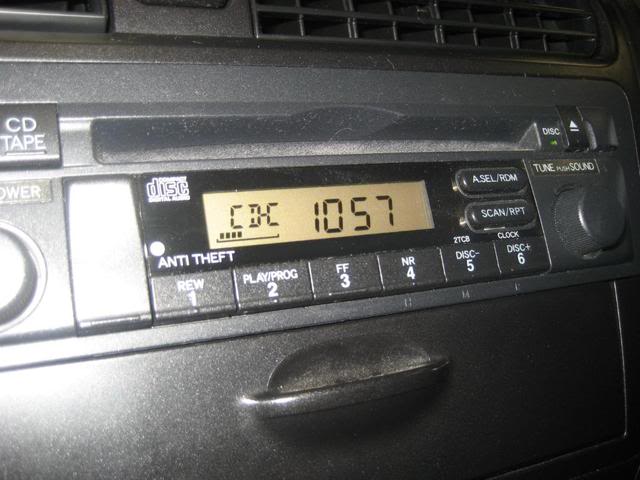
14. Press the CD/TAPE button twice to get to CD-C mode, and you're ready to go.
Eventually I will add the panel mount plug like the following post did. I bought the panel mount plug at radioshack, but do not have soldering tools.
https://www.civicforums.com/forums/2...installed.html
Feel free to ask questions or make comments. I hope this write up give people more information on how to do this install.
Thanks, and good luck!
Flat head screwdriver
Phillips screw driver
Your hands, and maybe a band-aid
Components needed:
HON98-AUX
3.5mm Stereo Mini-to-RCA Adapter
Estimated time
30-60 minutes (It took me 30 or so, I didn't watch the clock)
1. Disconnect the Negative battery terminal (BEFORE YOU DO THIS MAKE SURE YOU HAVE YOUR RADIO CODE TO ENABLE IT AFTER THE INSTALL!)
2. Remove the Gear Shift Trimpanel. First push down (towards bottom of car) on the chrome ring underneath the shift ****. Then unscrew the shift ****. Here you can see the little arch you get your fingers underneath the Gear Shift Trimpanel to pry it up. This is on the front of the panel facing the cup holders
3. Here is the bottom of the Gear Shift Trimpanel
4. Here is the side of the Gear Shift Trimpanel
5. Here is what it looks like without the Gear Shift Trimpanel
6. Remove the Console Trim. First remove the two phillips head screws in the front. The can be seen in the picture above.
7. Second push the two back clips on each side. I used a flat head screwdriver and my fingers to do so. There are two on each side
NOTE: I believe I pulled up (towards the roof) and then back (towards the trunk) to remove the Console trim
8. Once removed, here is the back of it. There are two clips on each side. One of my clips fell of, but I found it back and pushed it back onto the panel
9. Here is the box plugged in hanging free. The plug is to the right of the radio when facing the radio
10. I placed the box flat inside the dash. I doubt it wil go bouncing around. The aux plug on the left and the other cable on the right keep it stuck in place
11. If you want to ground the device, there is a screw to the right seen in this picture. I did not ground mine.
12. I then replaced the Console Trim
13. All wrapped up and ready to play!
14. Press the CD/TAPE button twice to get to CD-C mode, and you're ready to go.
Eventually I will add the panel mount plug like the following post did. I bought the panel mount plug at radioshack, but do not have soldering tools.
https://www.civicforums.com/forums/2...installed.html
Feel free to ask questions or make comments. I hope this write up give people more information on how to do this install.
Thanks, and good luck!
Last edited by civic83; Aug 29, 2009 at 12:15 PM.


Thread Starter
Registered!!
Joined: Aug 2009
Posts: 18
Likes: 0
Rep Power: 0 

Registered!!
Joined: Sep 2010
Posts: 2
Likes: 0
Rep Power: 0 Re: Another HON98-AUX install, 2005 EX Coupe (5-speed)
Does anyone one have any other suggestions on where to place the HON98-AUX box? Also check out the HON98/PC-POD2(5v) i just bought and am still waiting for it. It charges ipods, and give you the ability to change songs with the stock HU. i will definitely post when i get it installed.

Thread
Thread Starter
Honda Civic Forum
Replies
Last Post
MajTom
Mechanical Problems/Vehicle Issues and Fix-it Forum
4
Jun 2, 2015 11:48 AM
davidarenberg
I.C.E. (Audio) & Electrical Upgrades
4
May 16, 2015 08:45 AM
Dorval Andre
Mechanical Problems/Vehicle Issues and Fix-it Forum
5
May 1, 2015 09:37 AM


